
Instant Search & Barcode Scanner
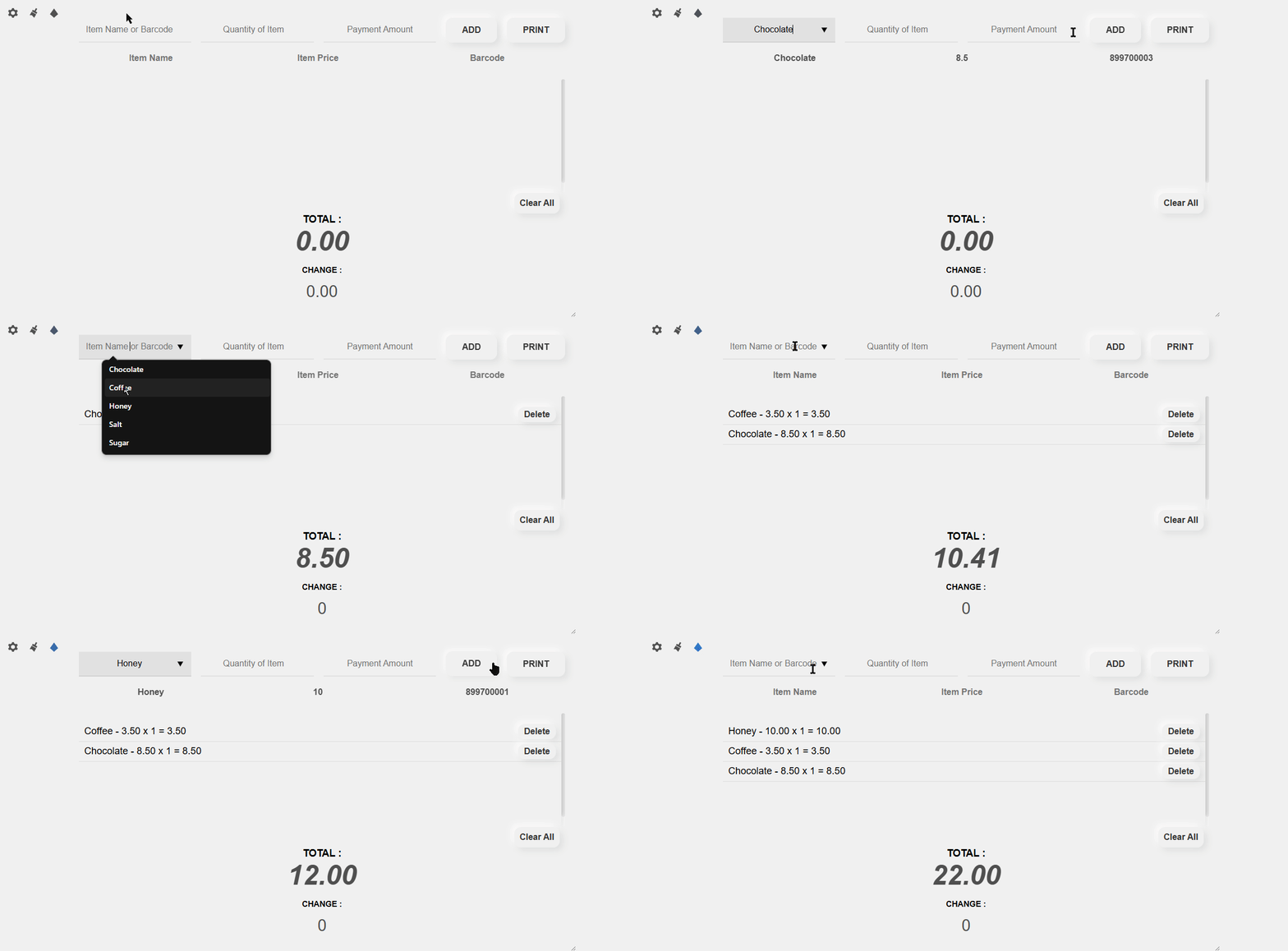
Simply plug in your USB or Bluetooth barcode scanner, scan an item code, or type a few letters. Smart autocomplete finds products with pinpoint accuracy.
Micro Partner v0.1 is a revolutionary Point of Sale (POS) solution that runs in your browser and works 99% offline; an internet connection is required to open the app. Engineered for maximum checkout speed with cashier macro keyboard shortcuts, instant barcode lookup, thermal receipt printing, and automated daily sales recaps with zero server overhead.
Server & Subscription Fees (100% Free)
Works Offline; Internet Required to Open the App
Instant Keyboard Shortcut Checkout
Global International Currency Formats
Built for retail shops, cafes, exhibition booths, clothing stores, and SMBs who want high-speed checkout without monthly fees.
Simply plug in your USB or Bluetooth barcode scanner, scan an item code, or type a few letters. Smart autocomplete finds products with pinpoint accuracy.
Breeze through queues! Never touch the mouse during sales. Use intuitive numpad keyboard shortcuts to add items, edit quantity, print receipts, and clear the cart.
Seamless support for standard 58mm and 80mm thermal receipt printers. Fully customizable with your store brand, location address, and footer thank-you message.
Your business data belongs to you. All product catalogs and transaction logs remain securely stored in your device's browser LocalStorage without third-party leaks.
Manage item names, selling prices, and barcodes effortlessly. Import or export thousands of items in bulk via standard Excel CSV spreadsheets in seconds.
Every completed transaction is recorded in clean history. View cumulative daily revenues, print formal audit summaries, or export sales logs to CSV.
Switch between over 30 international numbering conventions: Indonesian Rupiah (Rp 1.000,00), US Dollars ($1,000.00), EUR, GBP, JPY, and more.
A floating utility menu that can be freely dragged across the screen so it never obstructs your item list or active cashier workflow.
Type the cash given by the customer and watch the change calculate instantaneously with smooth, delightful number animations.
Memorize these 6 handy numpad keys to breeze through transactions without reaching for your mouse:
Instantly shifts focus to the quantity input field
Pushes selected product directly into the cart
Jumps directly to the cash payment input field
Quickly adjusts quantity for the most recent cart item
Opens the thermal receipt print preview immediately
Empties the shopping cart ready for the next customer
Follow these simple, step-by-step instructions to get your cashier station up and running in minutes:
Open settings (Gear Icon) and enter the default credentials: ID: admin and Password: admin.
Enter the item name, price, and barcode in the table, then click the button [add item] to proceed.
You can save the entered data by downloading it [Download CSV] (make sure to always backup), and upload it (.csv file) back into the software anytime when needed.
If you have employees, you can change the password using button [change password], to prevent your employees from accessing sensitive sections of the software. If you forget the password, you can reopen the login page to reset the software (this will restore the software to its initial state, like when first installed).
You can set up the software & receipt appearance in the [paint icon] section. You can also configure macros or leave them to work faster. Don't forget to set the number format so that your number format matches your country, or use a country with the same number format as yours.
You can check your sales in the [Recap] button (located in the item data section).
Make sure your printer is set up to support printing receipts in the common receipt size [80mm x 297mm] (or standard 58mm thermal rolls).
Micro Partner is safe to use. I do not collect or sell users personal data for profit. The income I receive comes from voluntary donations from users who are satisfied with this software and wish to support me to keep creating. Are you one of my supporters? ❤️❤️❤️
I’ve also added a donation broadcast feature so if you donate via Ko-fi or Trakteer, a notification will appear and be shown to all users who are currently online (one time payment only).
Your kind support keeps this project independent, free, and updated for everyone. Choose your preferred platform below:
Support via QRIS, GoPay, OVO, Dana, ShopeePay & Bank Transfer
☕ Treat a Cendol via Trakteer ⚡ Live AlertSupport via PayPal, Credit/Debit Card, or Apple Pay
💖 Support via Ko-fiBecome an official creator patron to support continuous development
🎖️ Support on PatreonFor your safety, please make sure to use free POS software (Micro Partner) only from the sources I share either from this website alwf.net or my X [_alwf] and Instagram [@al.wf]. Do not use from any unclear or unofficial sources, as the application may have been modified by irresponsible parties!
Designer, Digital Artist & Software Creator
Hello! I am ALWF (Al-Wafi). I am a designer and artist dedicated to crafting creative works, intuitive UI designs, and practical tools that empower people worldwide. Micro Partner v0.1 was created to deliver a nimble, serverless POS software that anyone can run independently.